1. Overview
- To meet the worldwide demand for MISA’s OneAI, the MISA Store has launched Global OneAI, allowing customers to purchase directly.
- This article guides international customers through the process of buying Global OneAI on the MISA Store.
2. Implementation guide
Step 1: Access MISA Store & choose a package
- Visit https://store.misa.vn/home.
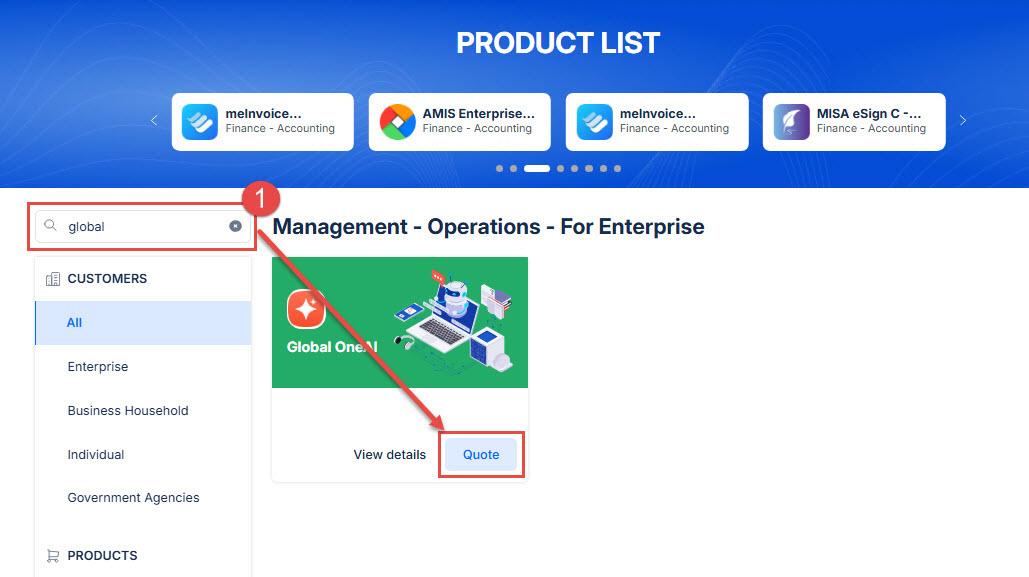
- On the homepage, search for Global OneAI and click Quote.
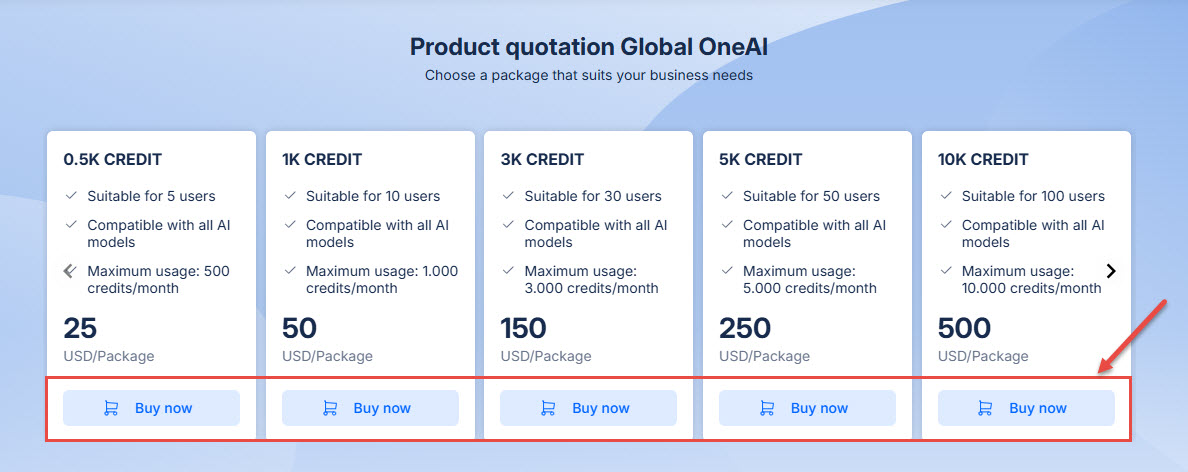
- Select the one that best fits your needs and click Buy now.
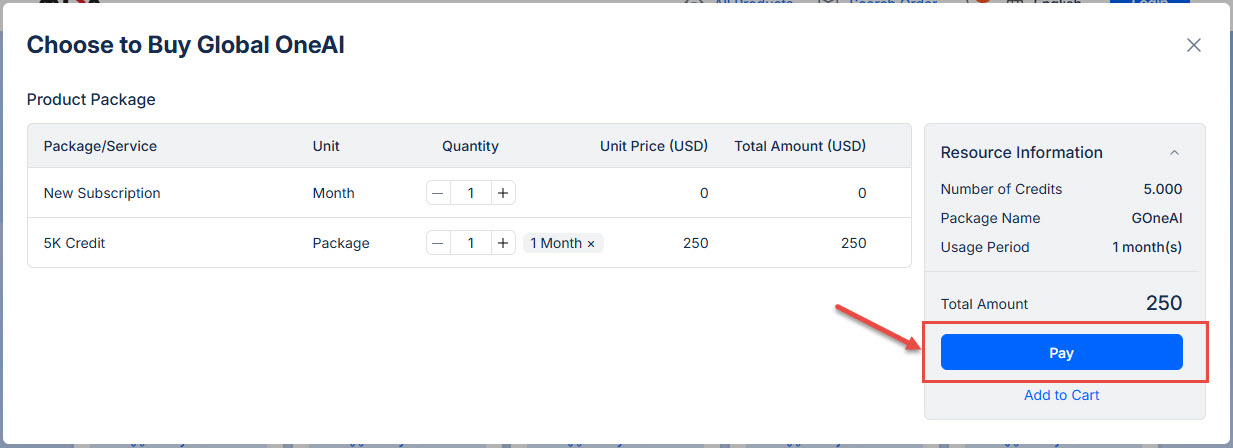
- In the Choose to Buy Global OneAI screen, click Pay.
- Note: Increase the package quantity to extend the subscription by the same number of months.
Step 2: Review order & pay
- Verify your cart and resource information.
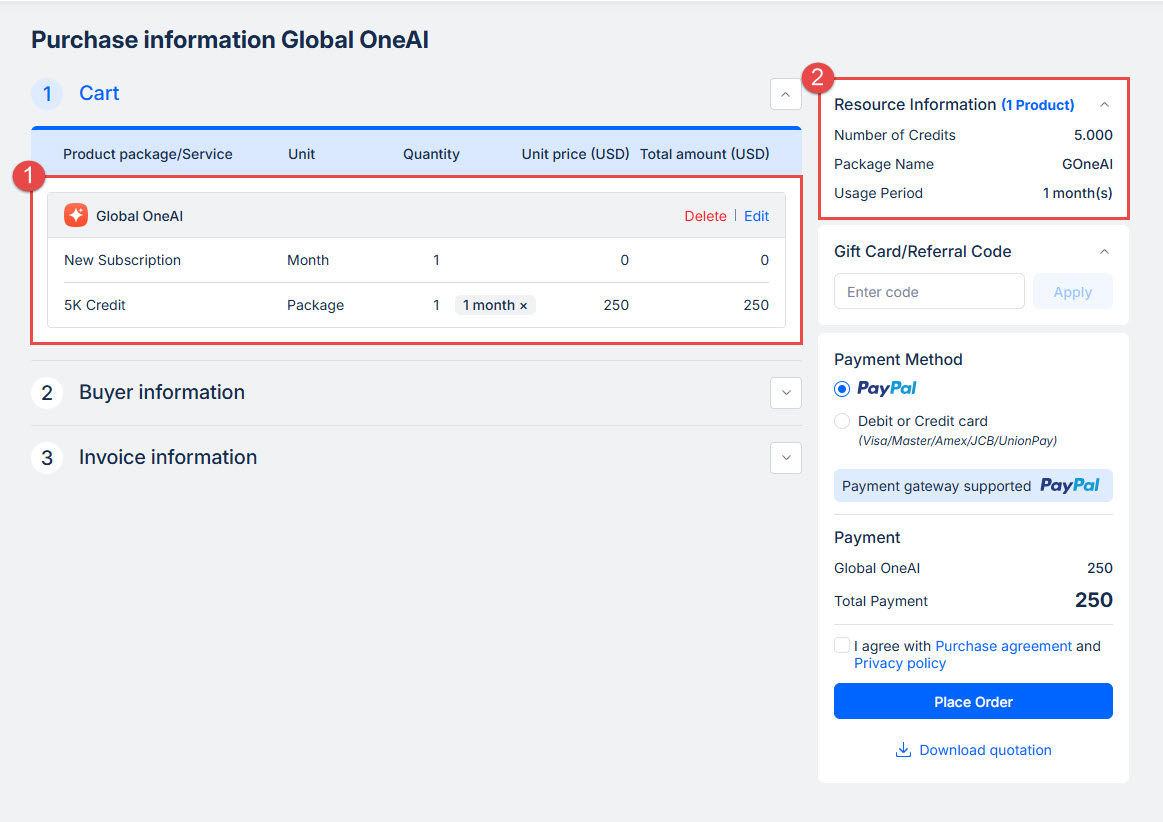
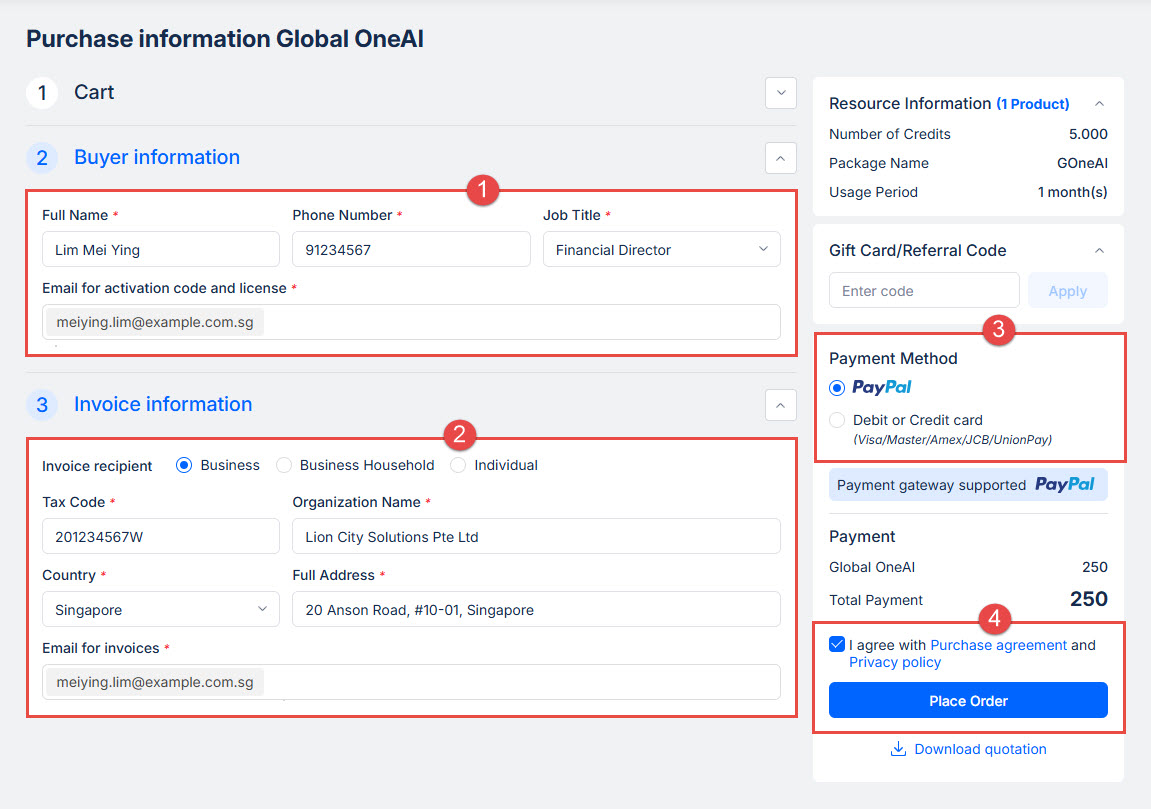
- Provide the required information:
- Buyer information (item 2).
- Invoice information (item 3).
- Gift Card/Referral Code (if available).
- Select a payment method.
- Tick I agree with Purchase Agreement and Privacy Policy, then click Place order.
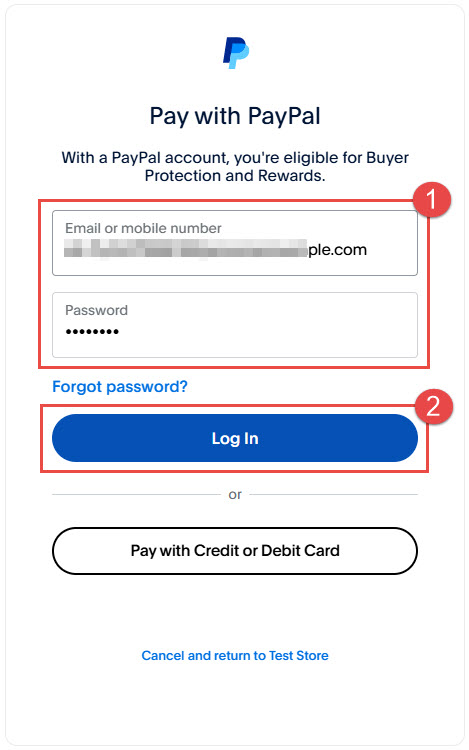
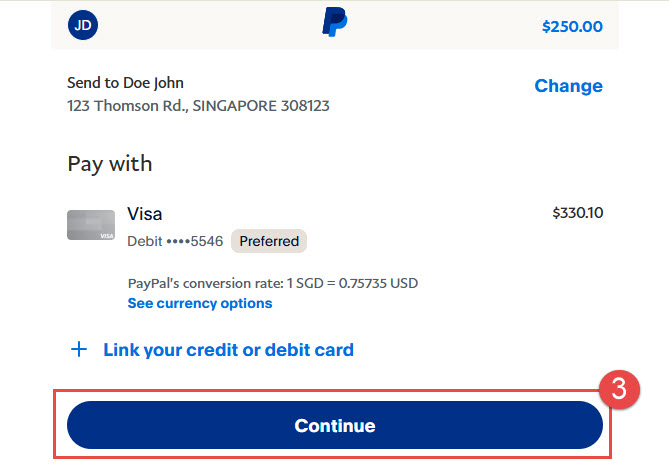
- Please enter your PayPal account information to complete the payment.
 |
 |
Step 3: Activate your account
- Once payment is successful, follow the on-screen activation prompt or the activation instructions sent to your email.
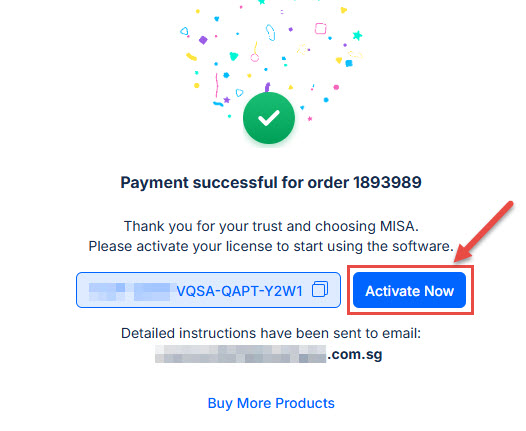
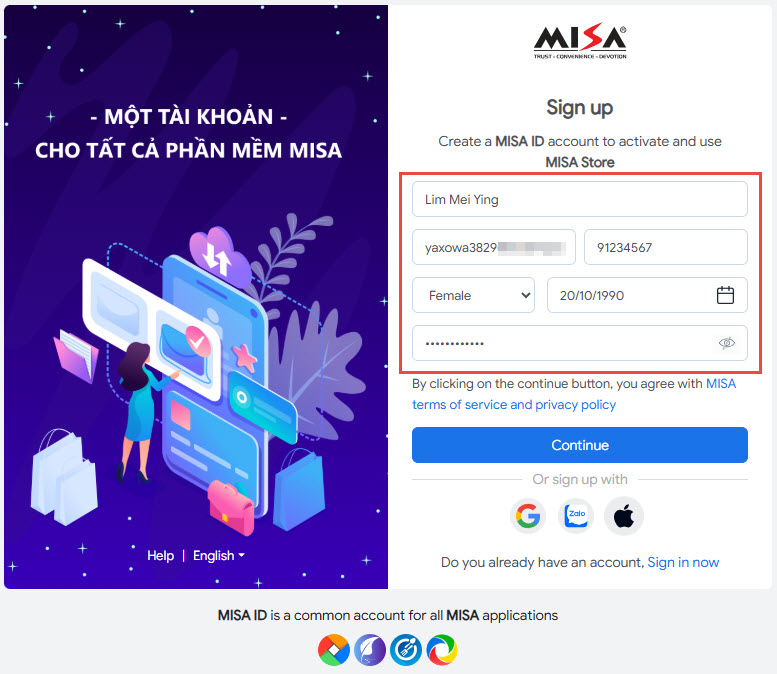
- Please enter the required information to create your MISA ID account.
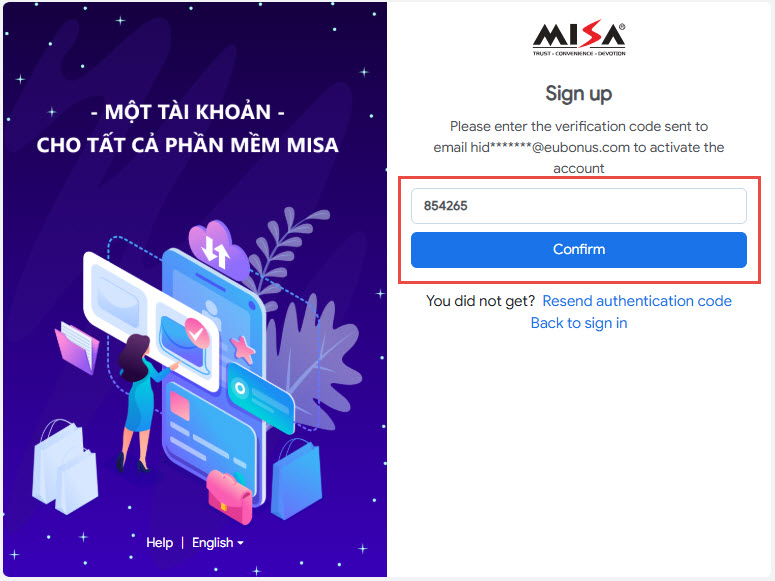
- After that, enter the verification code sent to your email to active the account.
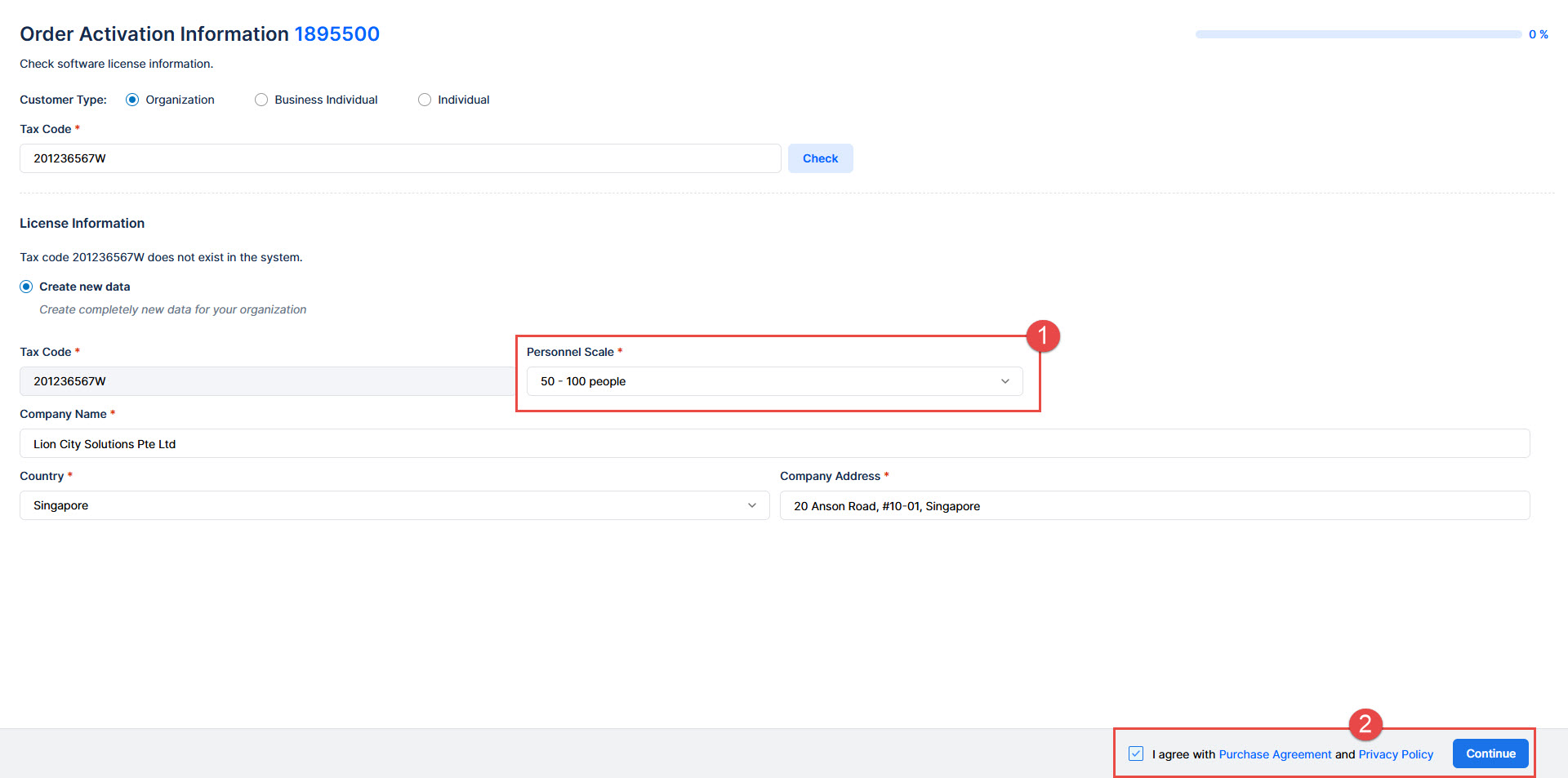
- Enter the personnel scale information, tick I agree with Purchase Agreement and Privacy Policy => click Continue.
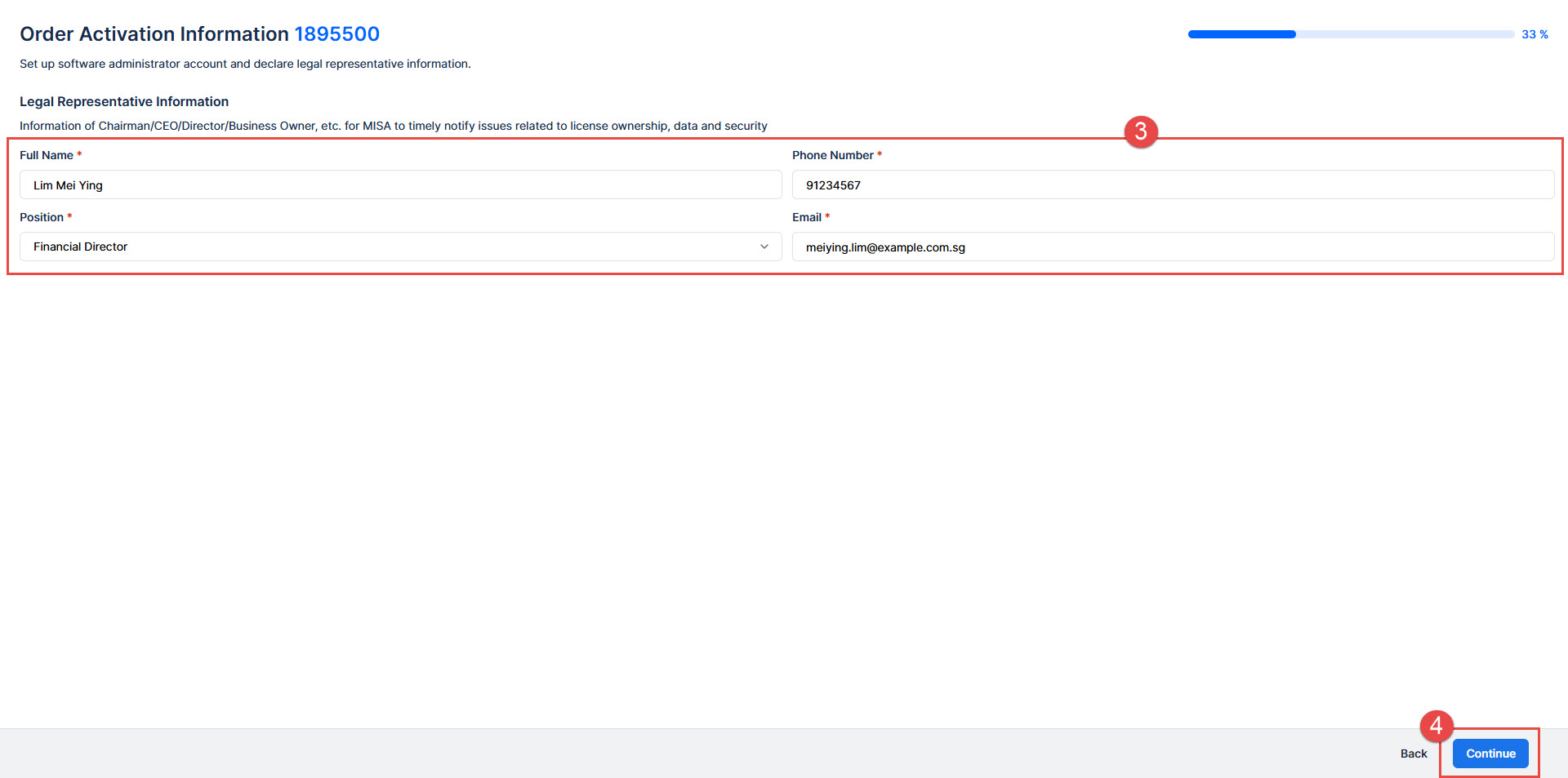
- Enter Legal Representative Information => click Continue.
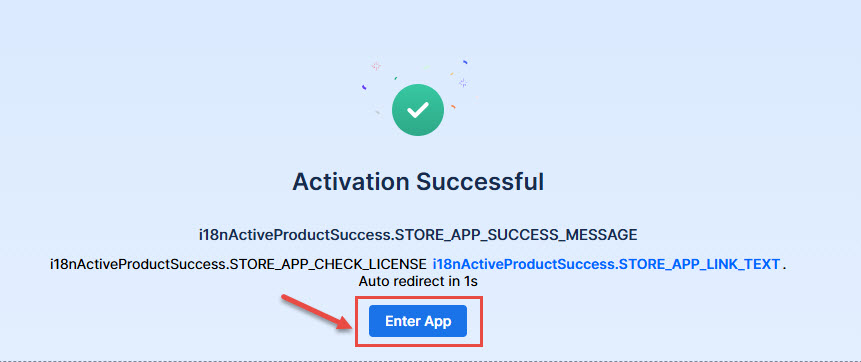
- Activation successful, click Enter App to start using.
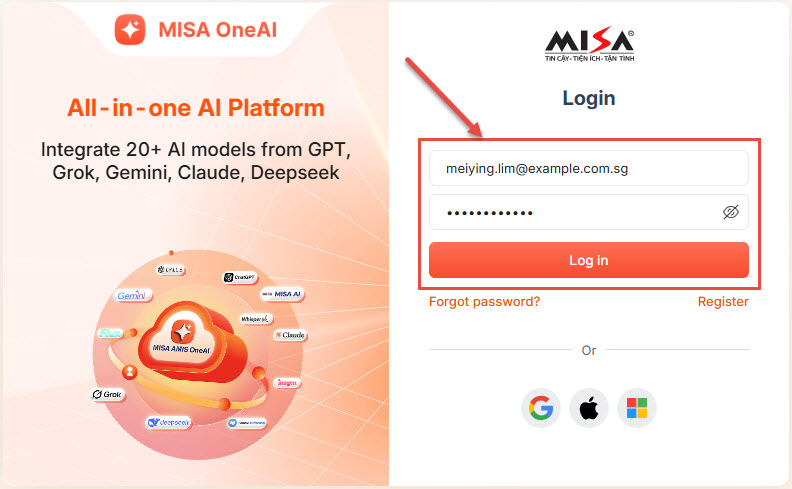
- Please enter your account information to log in.
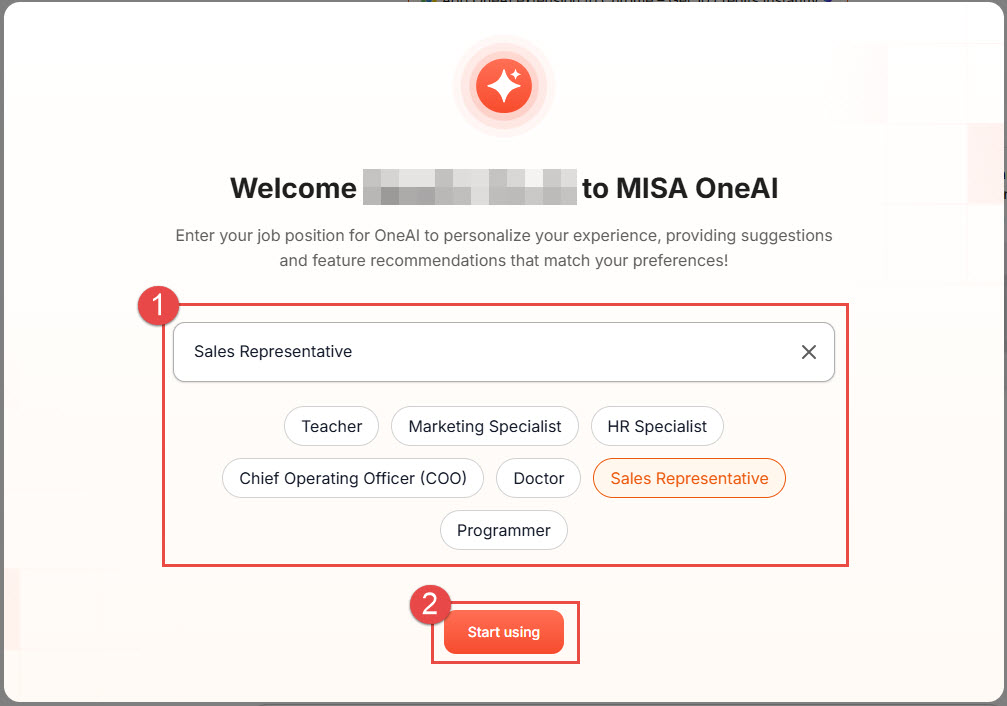
- Enter your job position for OneAI to personalize your experience, providing suggestions and feature recommendations that match your preferences!
Enjoy your Global OneAI experience and thank you for choosing MISA!
Bài viết này hữu ích với bạn không?