
1. Overview
This article guides customers on how to select a plan, place an order and pay for Global OneAI Credit packages without leaving the application.
2. Implementation guide
Step 1: Choose a credit package
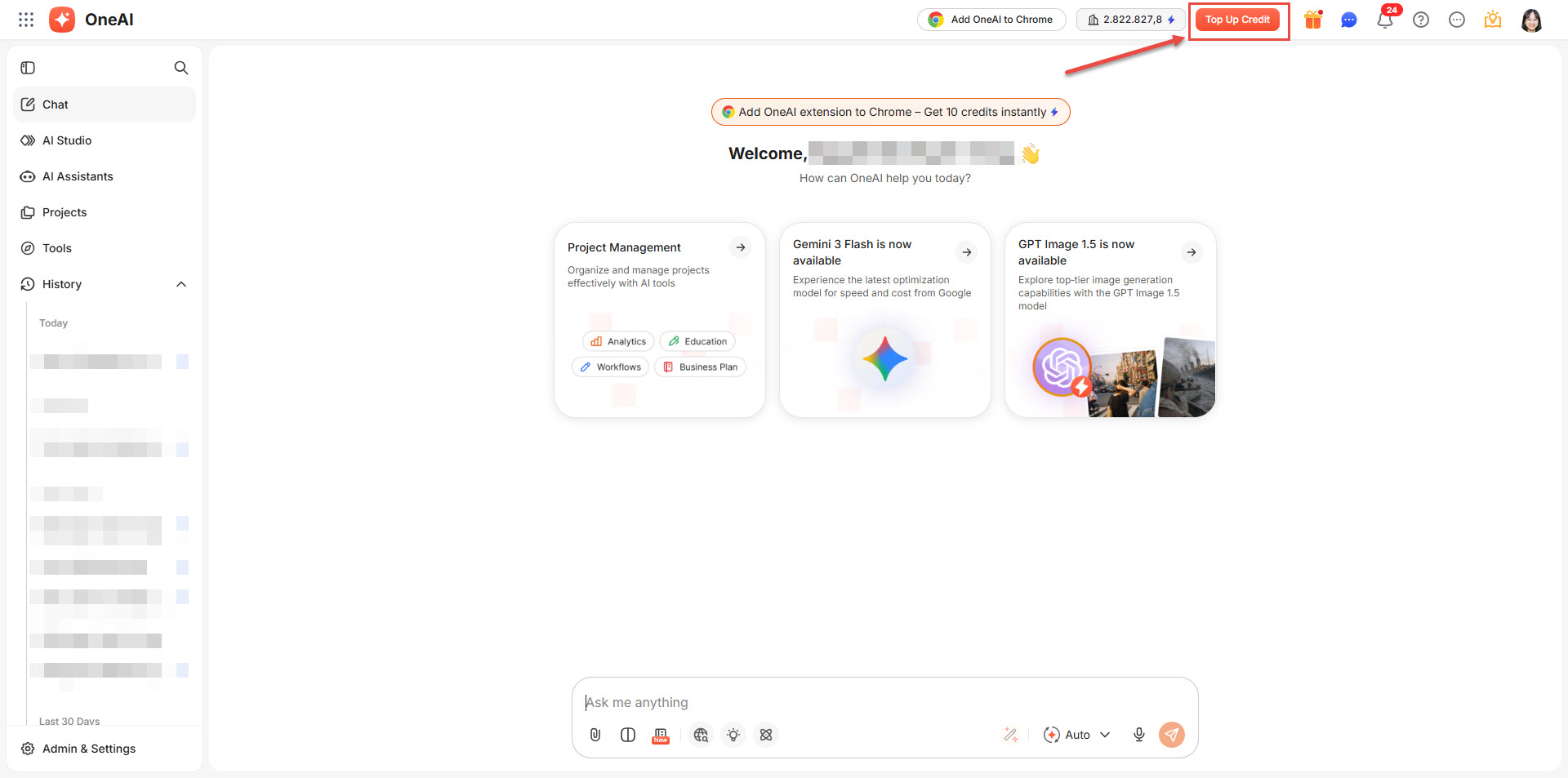
- On the homepage, click Top-up Credit in the app header.
- After that, please click Add more credits
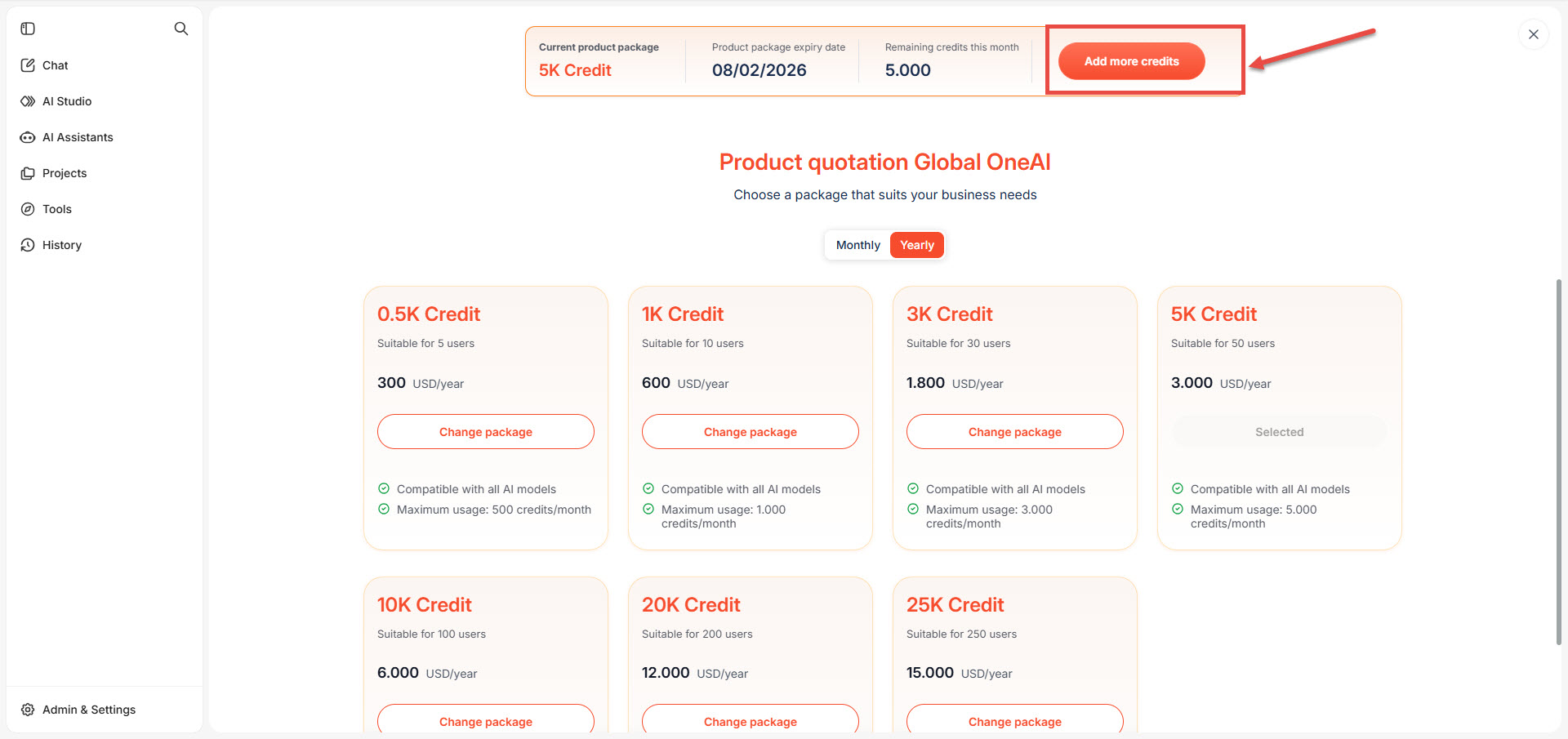
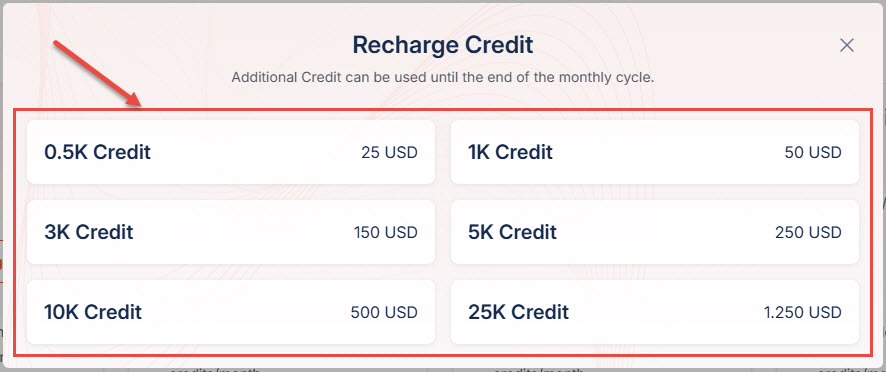
- A price list of Global OneAI Credit packages will appear => select the package.
Step 2: Make Payment
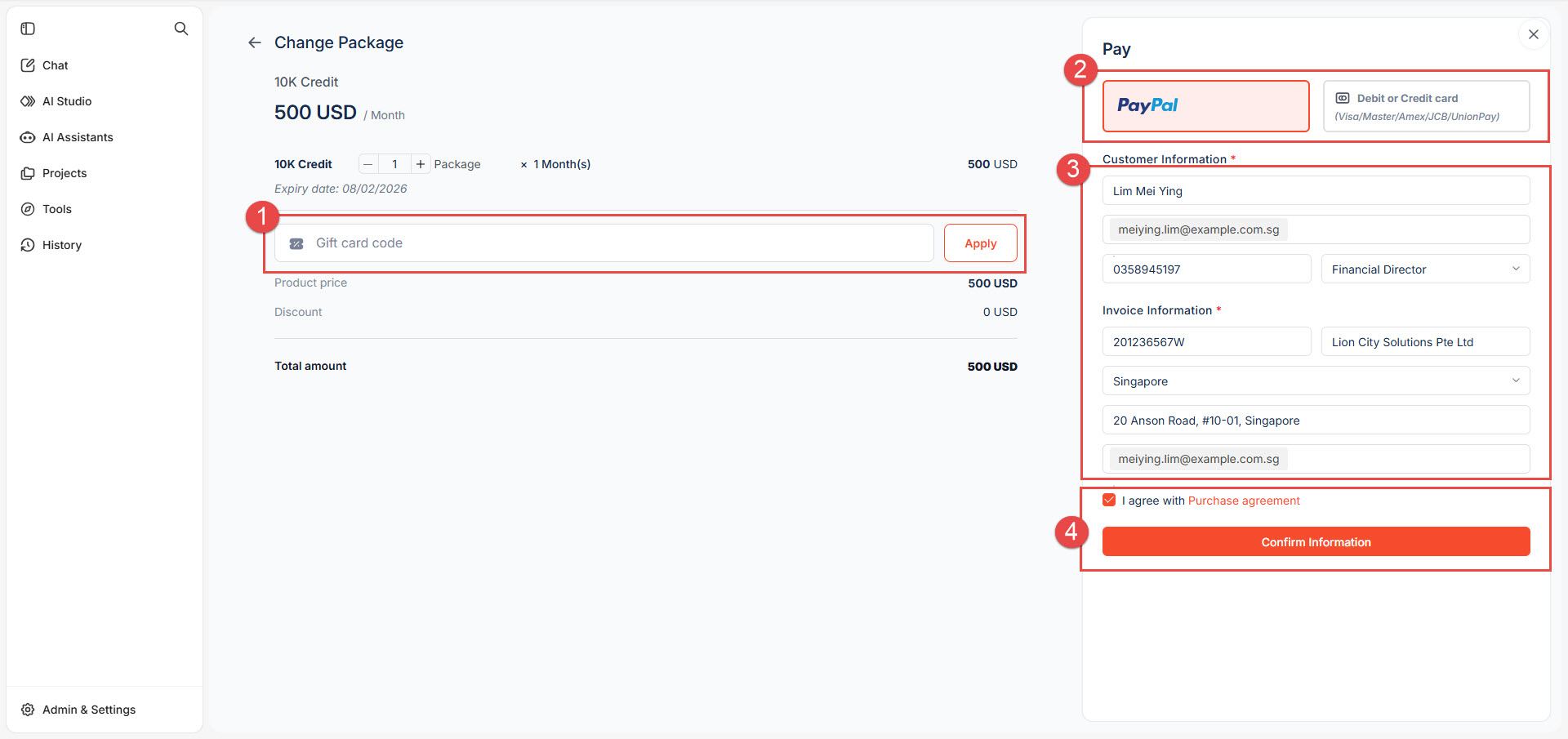
Follow the on-screen steps in order:
- Enter gift voucher code (if available).
- Select a payment method.
- Enter complete Customer Information and Invoice Information.
- Tick I agree with Purchase Agreement.
- Click Confirm Information to proceed to payment.
PayPal payment method
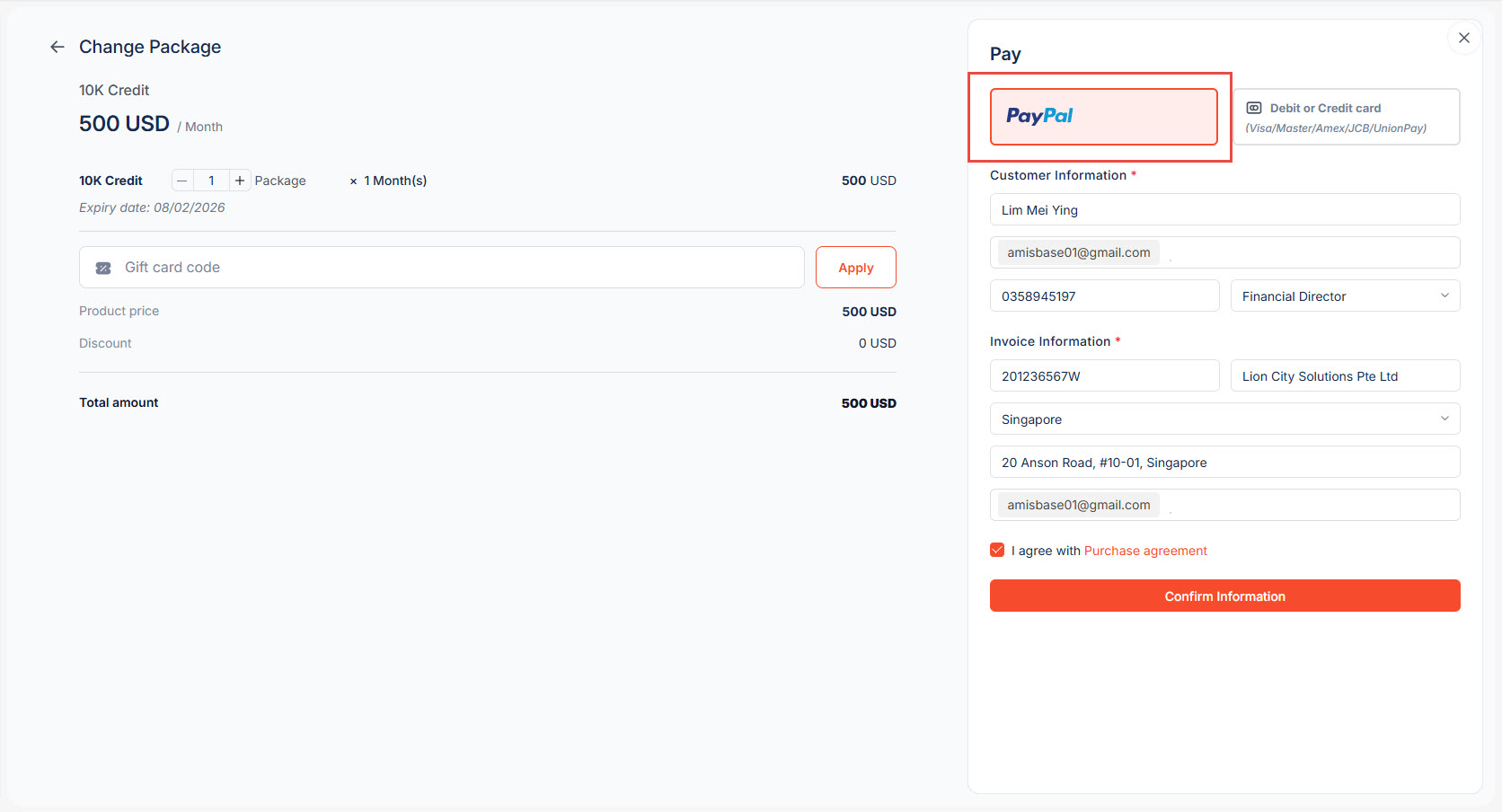
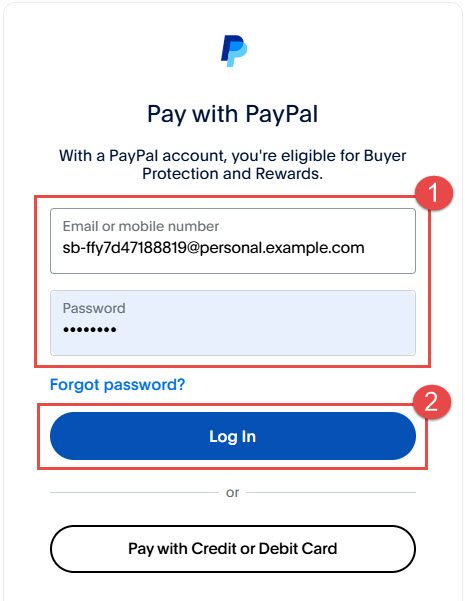
- For PayPal, enter your PayPal account credentials:
- Email.
- Password.
- Click Login.
 |
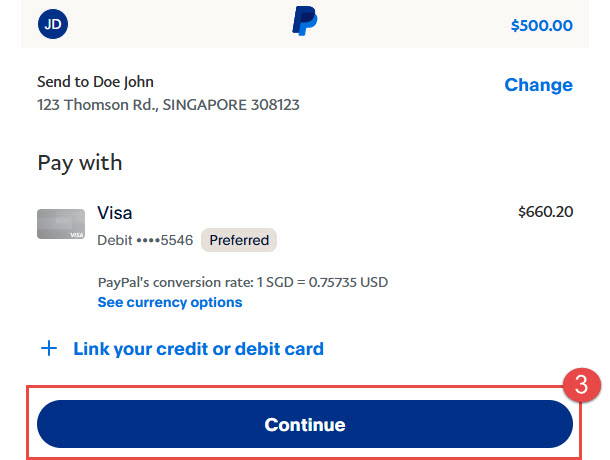 |
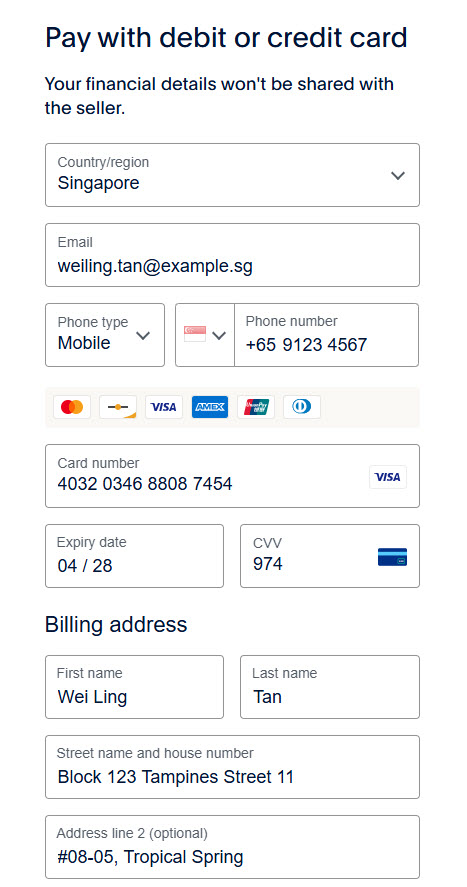
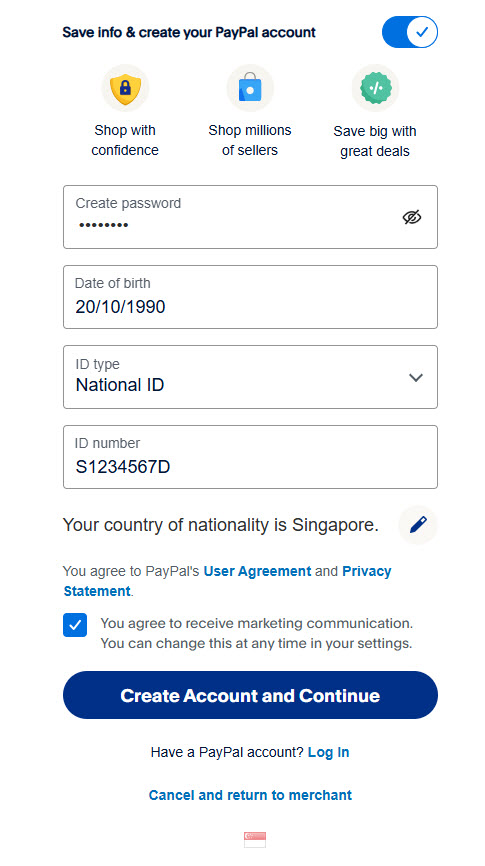
VISA Card payment method
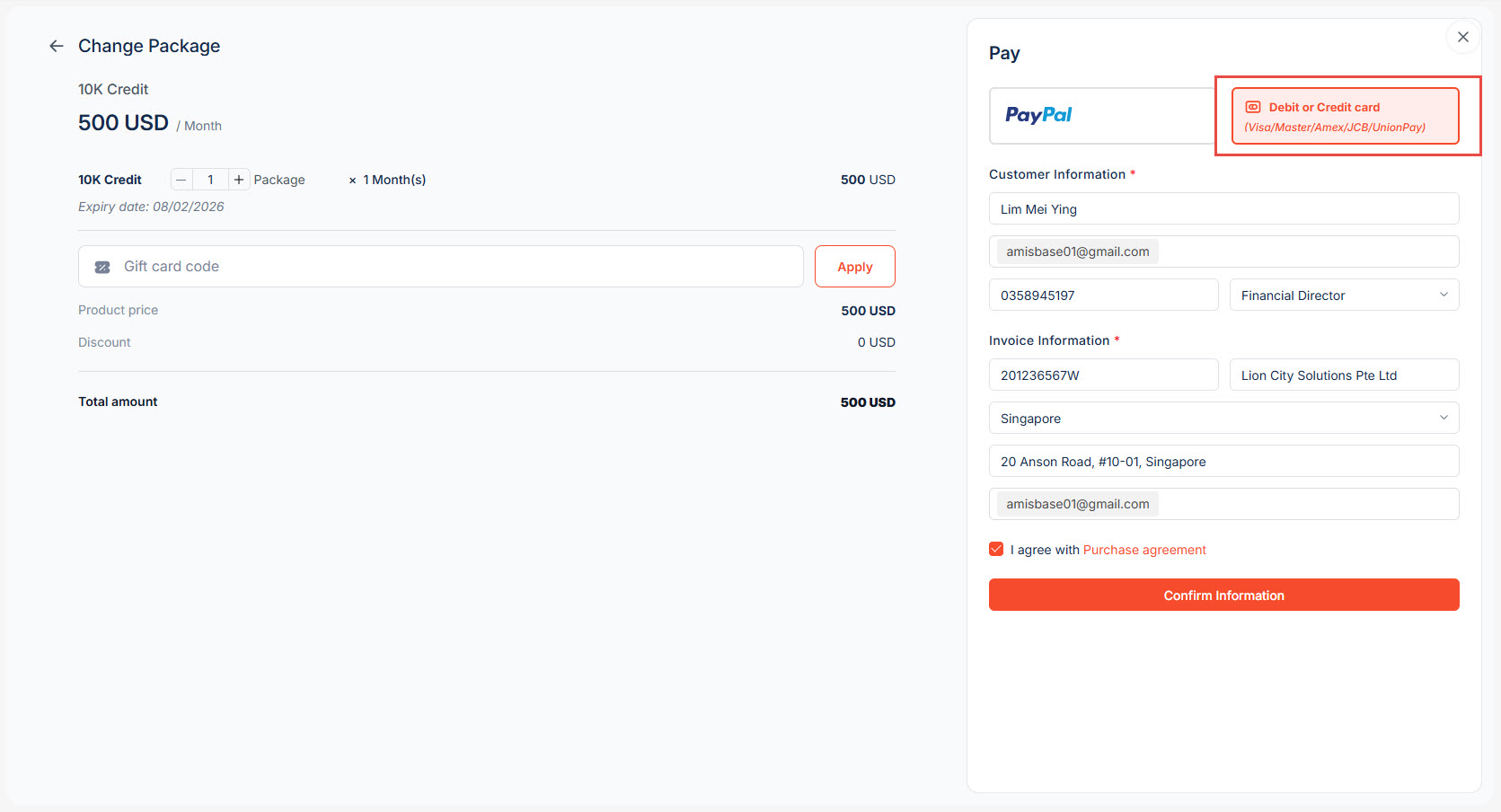
- For VISA Card, please provide the required card details as shown in the form:
 |
 |
After a successful payment, click Use Global OneAI to access the application and continue working.
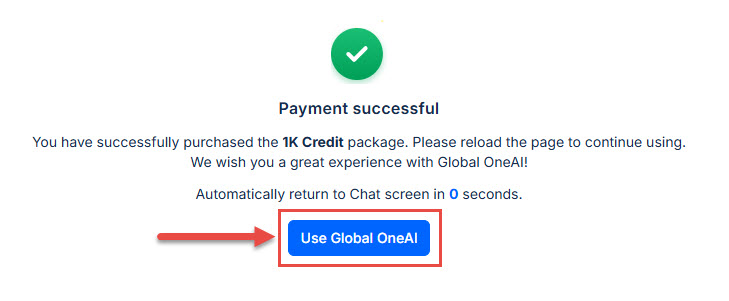
Enjoy your Global OneAI experience and thank you for choosing MISA!
Bài viết này hữu ích với bạn không?